We can't find the internet
Attempting to reconnect
Something went wrong!
Hang in there while we get back on track
Phoenix 에서 Lucide 아이콘 사용하기
Heroicons 만으로 충분하지 않다면
Phoenix 에서는 현재 아래와 같이 Heroicons 를 CoreComponents.icon component 에 기본으로 연동하여 제공하고 있습니다.
defmodule MyApp.CoreComponents do
  @doc """
  Renders a [Heroicon](https://heroicons.com).

  ...

  ## Examples

      <.icon name="hero-x-mark-solid" />
      <.icon name="hero-arrow-path" class="ml-1 w-3 h-3 animate-spin" />
  """
  attr :name, :string, required: true
  attr :class, :string, default: nil

  def icon(%{name: "hero-" <> _} = assigns) do
    ~H"""
    <span class={[@name, @class]} />
    """
  end
end
heroicons 는 Tailwind Labs 에서 직접 만든 아이콘 라이브러리여서 기대가 많았으나, 아직도 부족한 아이콘들이 많고 2024-11-18 v2.2.0 이후 새로운 업데이트가 이루어지지 않으면서 사실상 버려진 프로젝트로 보입니다.
이를 보완하기 위해 Sidekickicons 같이 heroicons 스타일에 추가적으로 아이콘을 추가한 프로젝트도 있지만, 아무래도 활성화 되기 힘든 것 같습니다.
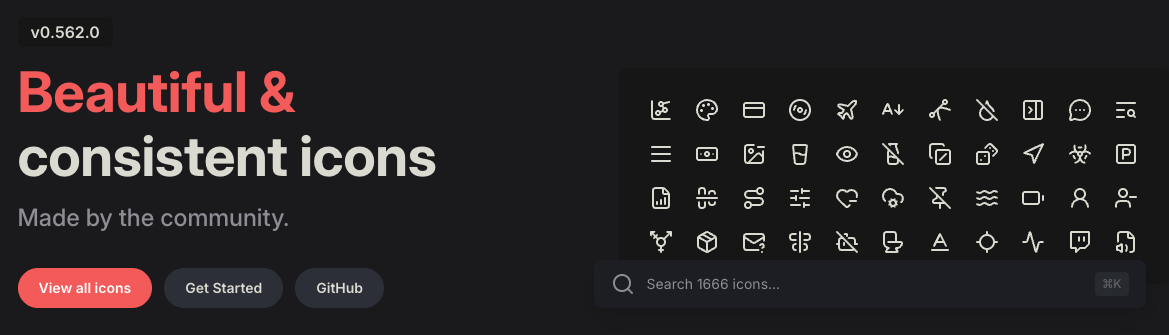
그래서 아이콘들이 많고 지속적으로 업데이트 되고 있는 Lucide 를 Phoenix 에서 사용할 수 있도록 작업해보았습니다.
Phoenix 에 Lucide 사용 설정하기
mix deps 추가
Heroicons 가 tailwindlabs/heroicons GitHub repository 에서 optimized 폴더의 내용만 가져오도록 설정되어 있듯이, Lucide 도 icons 폴더의 내용만 가져오도록 아래와 같이 mix.exs 의 deps/0 에 추가합니다.
defmodule MyApp.MixProject do
  ...

  defp deps do
    [
      ...,
      {
        :lucide,
        github: "lucide-icons/lucide",
        tag: "0.562.0",
        sparse: "icons",
        app: false,
        compile: false,
        depth: 1
      }
    ]
  end
end
lucide.js 작성
Phoenix 에서 기본으로 제공하는 heroicons.js 를 참고하여 ./assets/vendor/ 에 lucide.js 도 작성합니다.
Heroicons 는 outline, solid, mini, micro 네 가지 타입에 대해서 Tailwind CSS 의 동적 유틸리티 클래스를 만들어서 좀 복잡하지만, Lucide 는 좀 더 간단합니다. 그밖에 Lucide 에 맞게 mask-size 설정을 추가했습니다.
const plugin = require("tailwindcss/plugin")
const fs = require("fs")
const path = require("path")

module.exports = plugin(function ({ matchComponents, theme }) {
  let iconsDir = path.join(__dirname, "../../deps/lucide/icons")
  let values = {}

  fs.readdirSync(iconsDir).forEach(file => {
    if (file.endsWith(".svg")) {
      let name = path.basename(file, ".svg")
      values[name] = { name, fullPath: path.join(iconsDir, file) }
    }
  })

  matchComponents({
    "lucide": ({ name, fullPath }) => {
      let content = fs.readFileSync(fullPath).toString().replace(/\r?\n|\r/g, "")
      content = encodeURIComponent(content)
      let size = theme("spacing.6")

      return {
        [`--lucide-${name}`]: `url('data:image/svg+xml;utf8,${content}')`,
        "-webkit-mask": `var(--lucide-${name})`,
        "mask": `var(--lucide-${name})`,
        "mask-size": "contain",
        "mask-repeat": "no-repeat",
        "background-color": "currentColor",
        "vertical-align": "middle",
        "display": "inline-block",
        "width": size,
        "height": size
      }
    }
  }, { values })
})
app.css 변경하기
이제 위에서 작업한 Lucide plugin 을 Tailwind CSS 에 등록해주기 위해 app.css 에 아래와 같이 추가합니다.
@plugin "../vendor/lucide";
CoreComponents.icon component 에 "lucide" prefix 추가하기
기존 CoreComponents.icon component 는 "hero" prefix 만 사용할 수 있게 되어있습니다.
아래와 같이 "lucide" prefix 도 사용할 수 있도록 추가해줍니다.
defmodule MyApp.CoreComponents do
  ...

  attr :name, :string, required: true
  attr :class, :string, default: nil

  def icon(%{name: "hero-" <> _} = assigns) do
    ~H"""
    <span class={[@name, @class]} />
    """
  end

  # lucide prefix 사용할 수 있도록 추가
  def icon(%{name: "lucide-" <> _} = assigns) do
    ~H"""
    <span class={[@name, @class]} />
    """
  end
end
Lucide 사용하기
이렇게 추가된 Lucide 아이콘을 기존에 Heroicons 아이콘을 사용하던 것처럼 간단하게 사용할 수 있습니다.
<.icon name="lucide-newspaper" />

실제로 이 사이트에 Lucide 를 적용한 전체 코드는 여기서 확인하실 수 있습니다.
이제 아이콘 부족에서 벗어나 Lucide 의 수많은 아이콘들을 사용할 수 있게 되었습니다. Lucide 에 아이콘들이 계속해서 빠르게 늘어나고 있으니, 필요하면 주기적으로 Lucide version 을 업데이트 해서 사용하시면 됩니다.